> For the complete documentation index, see [llms.txt](https://support.tao.com/llms.txt). Markdown versions of documentation pages are available by appending `.md` to page URLs; this page is available as [Markdown](https://support.tao.com/documentation/managing-your-portfolio/subnet-holdings/via-a-subnet-profile-page.md).
# Via a Subnet Profile Page
Follow the steps below to view more details about your subnet holdings via a subnet profile page.
{% stepper %}
{% step %}
### Tap the Magnifying Glass in the Bottom Menu Bar
{% endstep %}
{% step %}
### Search via Search Bar
Once in the search page, use the search bar at the top of the page to search for a particular subnet by its subnet number or its name. As you type, matching subnets will appear in the search results below the search bar.
{% endstep %}
{% step %}
### Select a Subnet to View
Tap the subnet name to view the subnet's profile page.
{% endstep %}
{% step %}
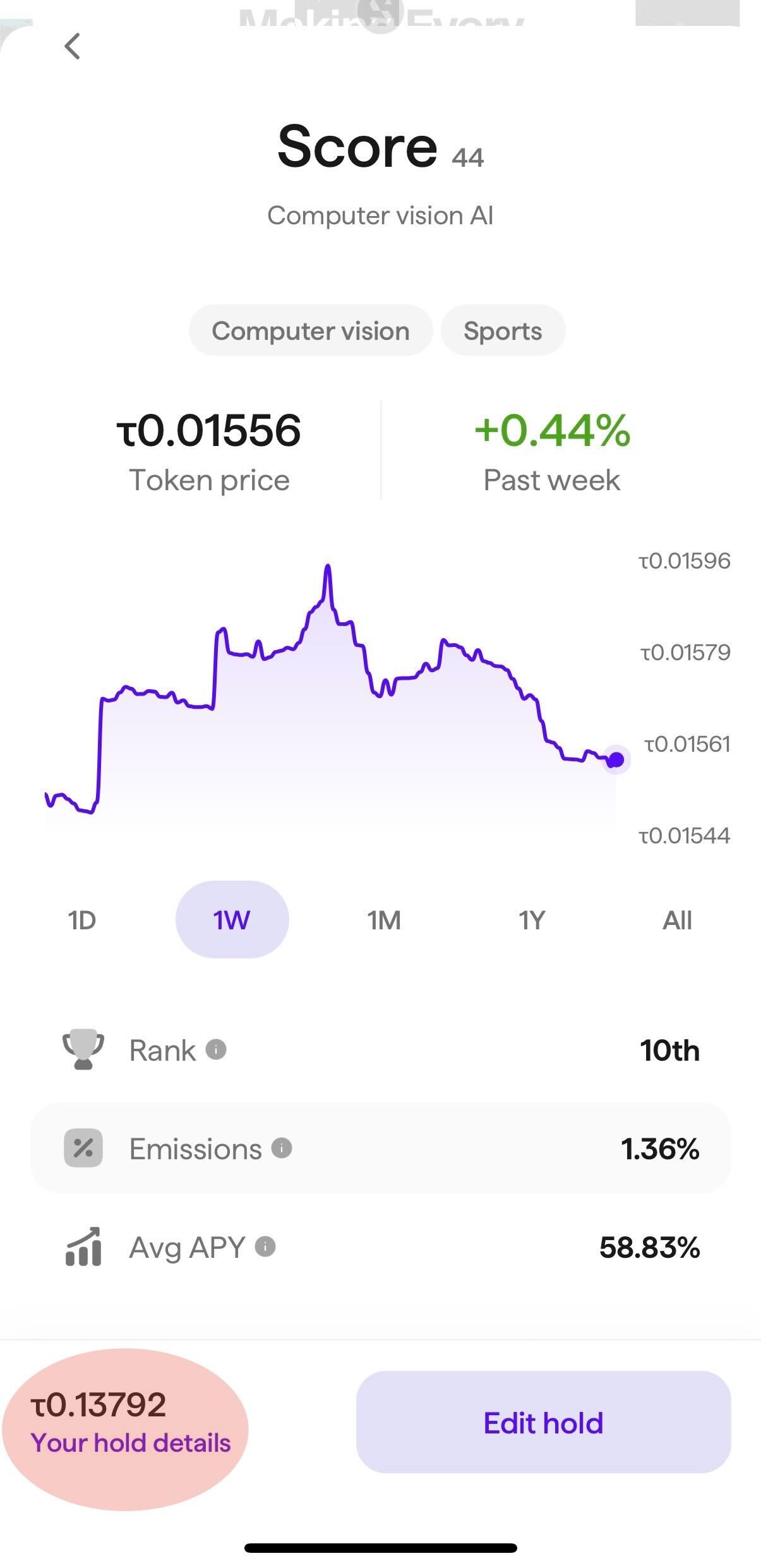
### Tap "Your hold details"
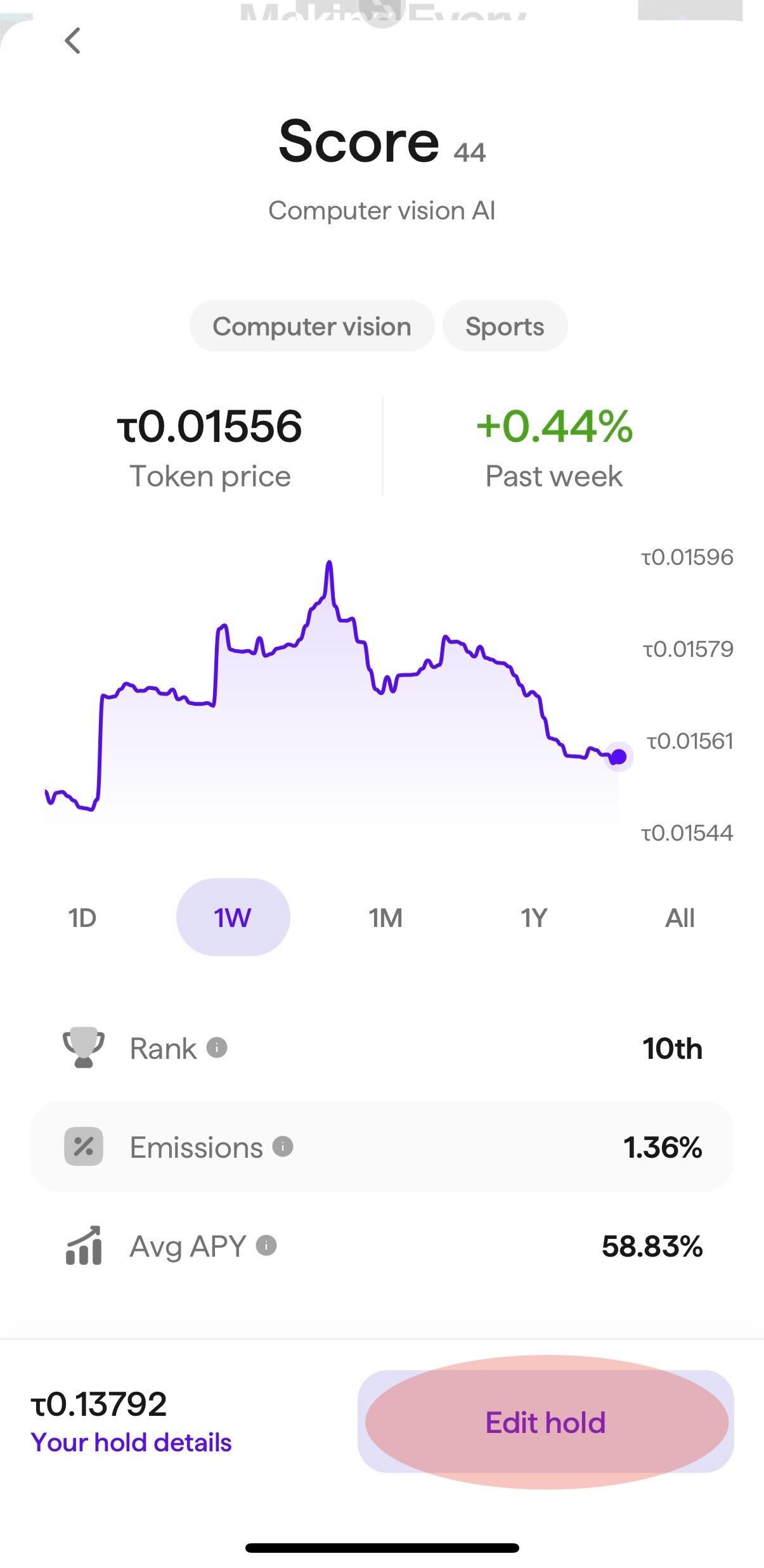
If you own tokens of a particular subnet and you are on the subnet's profile page, a bar will show up at the bottom of the profile page showing your hold and "Edit hold".
Tap "Your hold details" to view the details of your hold and tap "Edit hold" to buy or sell down any of your hold.
{% endstep %}
{% step %}
### View the Holding Chart and Other Stats for the Subnet
Once in the subnet hold screen, you will have the ability to view a chart showing all time performance of your subnet holding by the TAO or USD value of the Alpha tokens held or simply by the Alpha tokens.
To toggle between the USD and TAO views, tap the hold balance. You can also change the view to show the Alpha tokens owned in the subnet by tapping "Alpha tokens".
On this screen, you will also be able to view the average APY you are earning from your holding in the selected subnet, the percentage of your portfolio balance that consists of this holding, as well as how long you are holding the subnet tokens for.
{% endstep %}
{% step %}
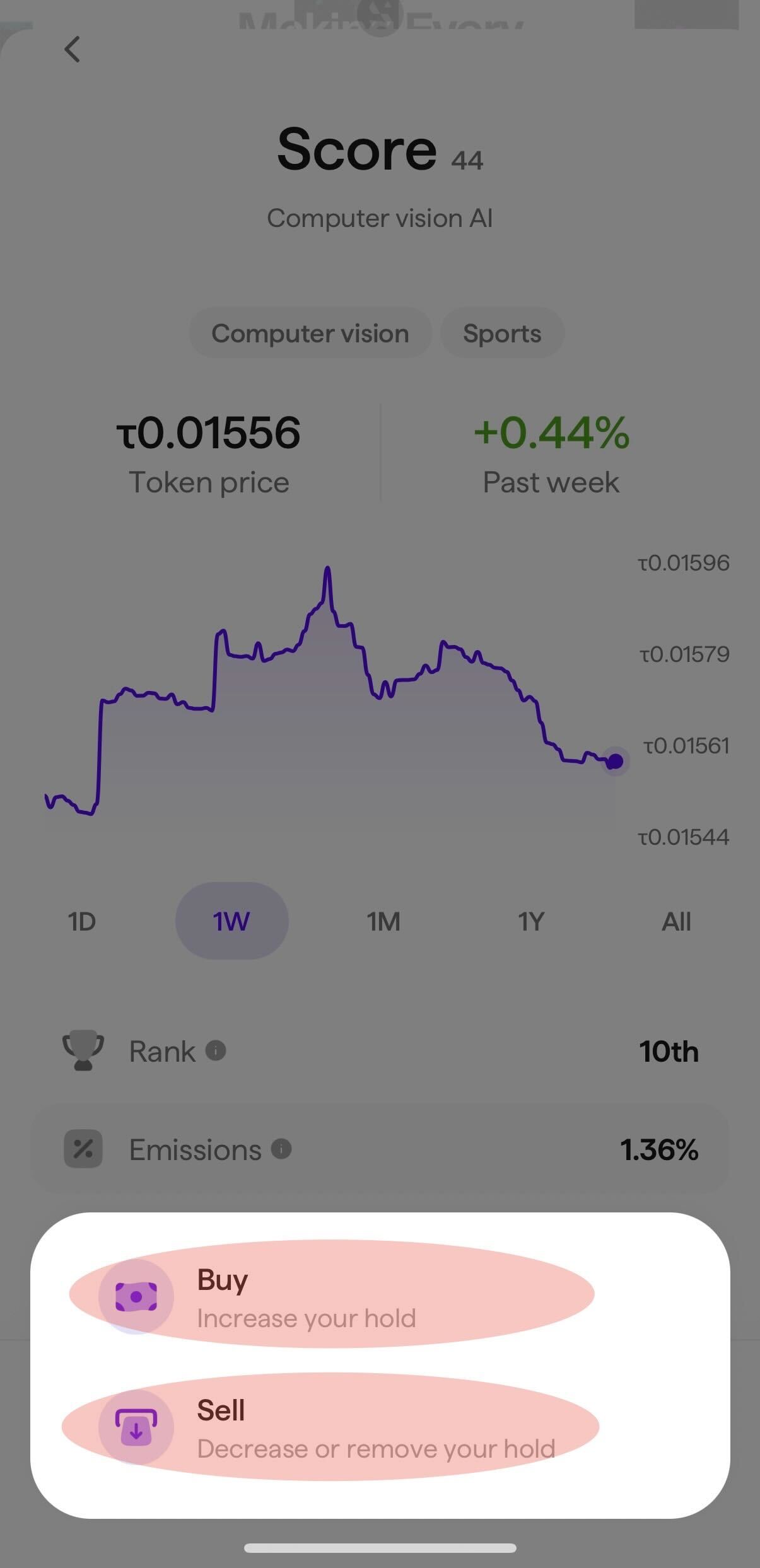
### Edit Your Hold
Tap "Edit hold" within the subnet profile page.
Tap "Buy" to purchase more tokens of the subnet.
Tap "Sell" to sell tokens that you own in the subnet.
{% endstep %}
{% endstepper %}