> For the complete documentation index, see [llms.txt](https://support.tao.com/llms.txt). Markdown versions of documentation pages are available by appending `.md` to page URLs; this page is available as [Markdown](https://support.tao.com/documentation/managing-app-settings/toggling-your-currency/via-the-settings.md).
# Via the Settings
Follow the steps below to switch between TAO and USD views in the app via the Settings screen.
{% stepper %}
{% step %}
### Open the App
{% endstep %}
{% step %}
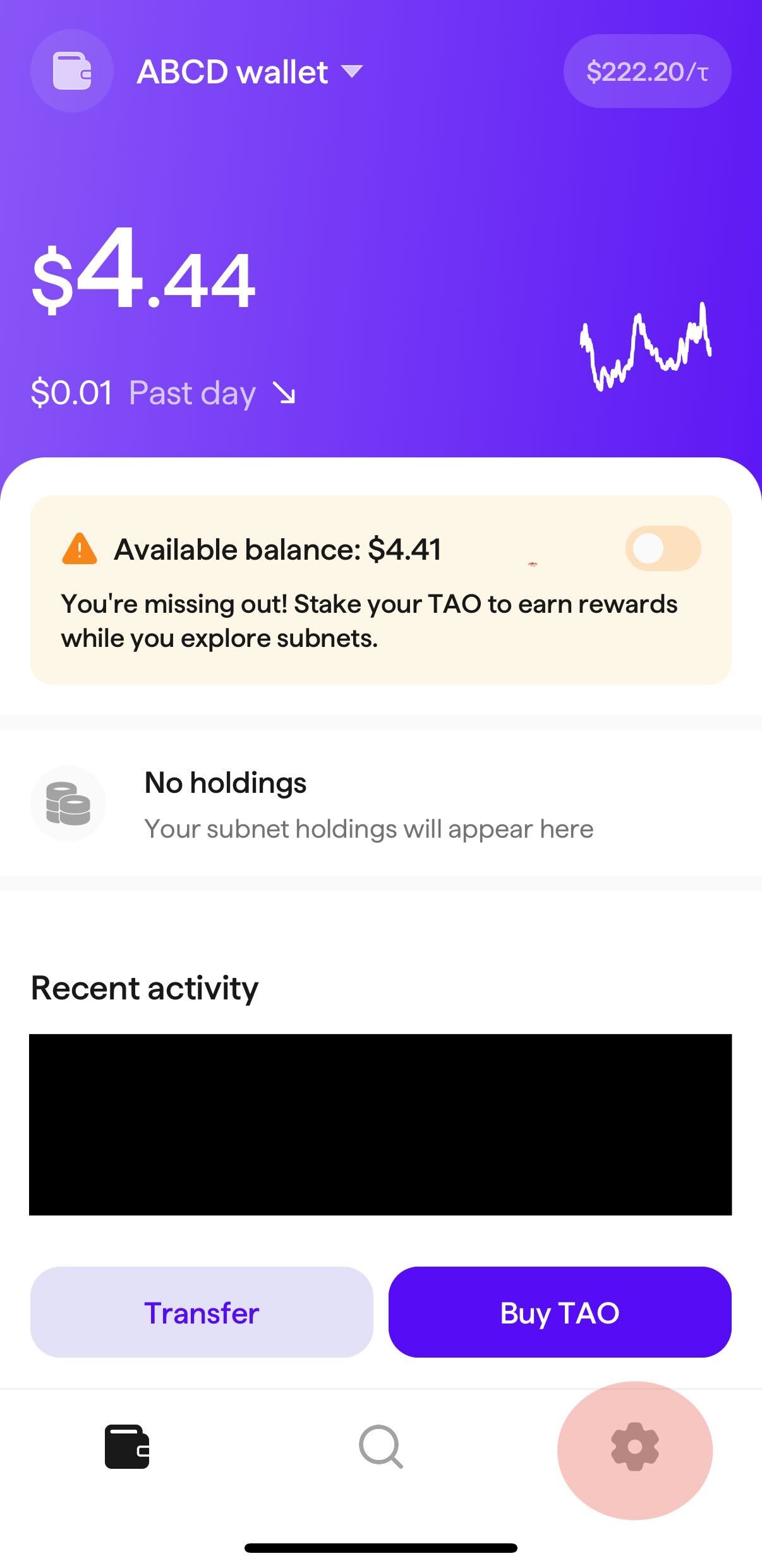
### Tap the Settings Cogwheel
Locate and tap the settings cogwheel at the bottom right of the screen.
{% endstep %}
{% step %}
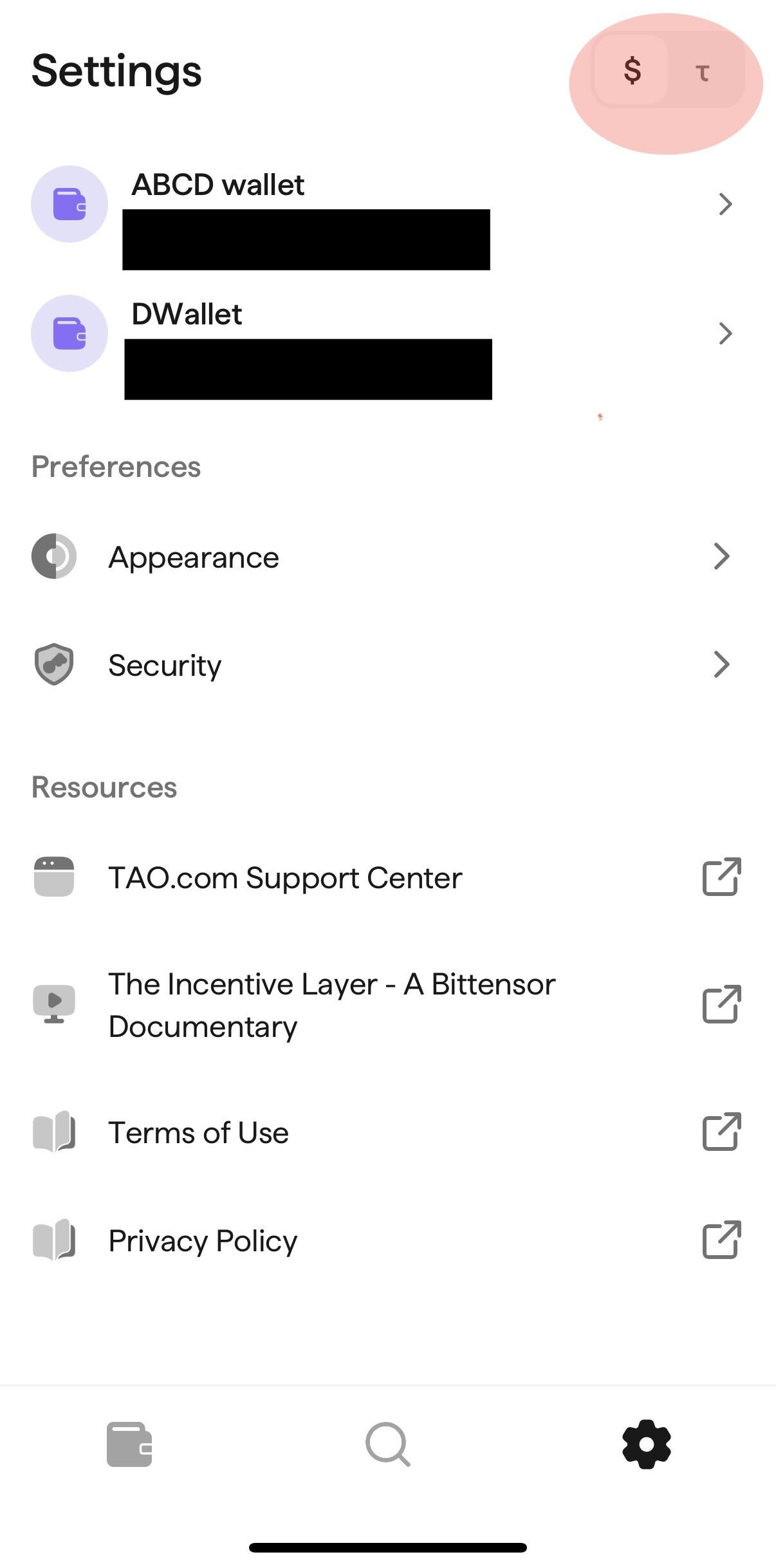
### Tap $ or T to Toggle Between Currencies
In the top right corner of the Settings screen, locate and tap the $ or TAO symbol to switch your in-app currency views.
{% endstep %}
{% endstepper %}